Your Dashboard
The Dashboard is the first page you see after you sign in. It shows what needs your attention.
Open the Dashboard
- Click Dashboard at the top of the menu on the left.
-
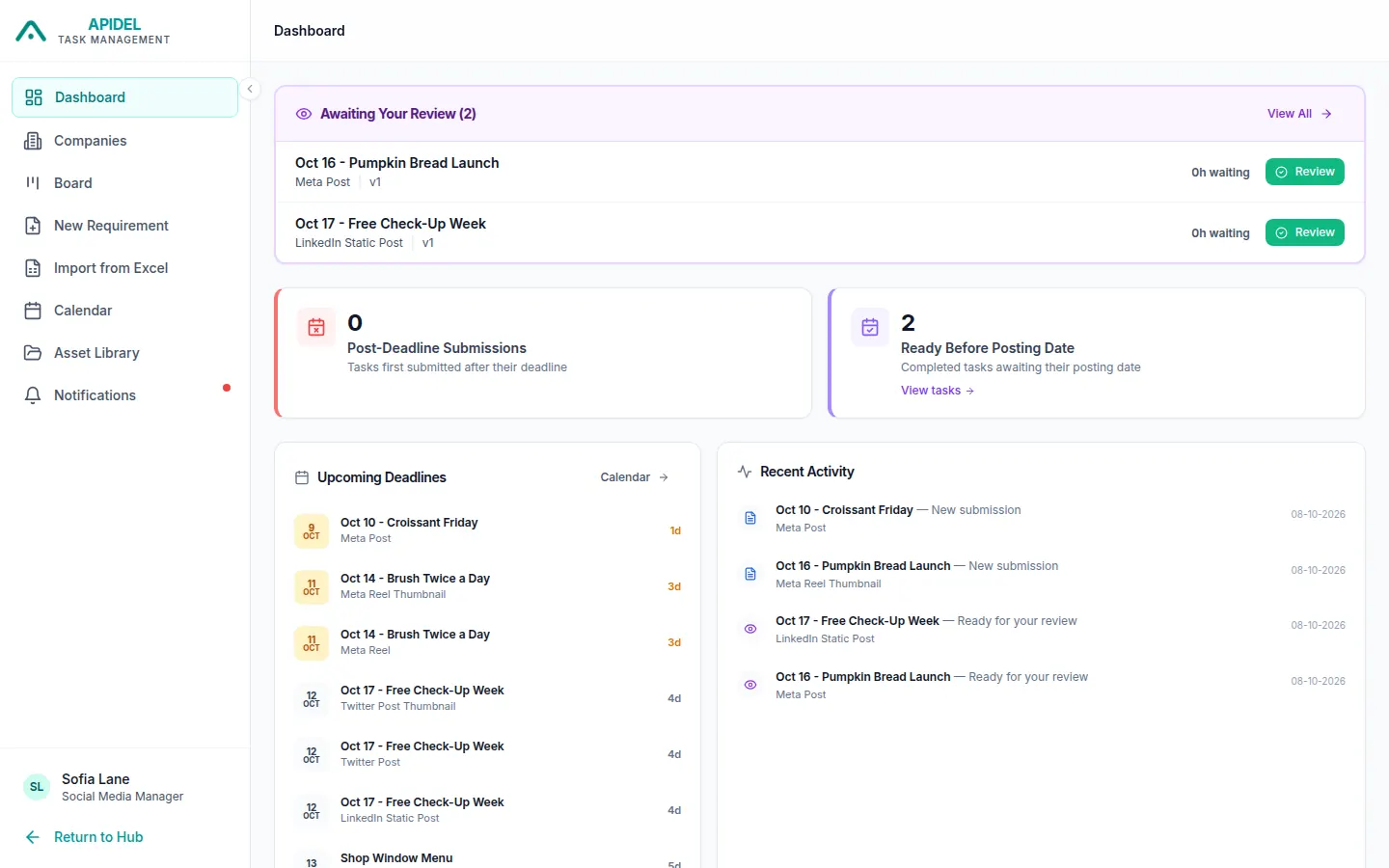
You will see your Dashboard.
What you see
- Awaiting Your Review: finished work waiting for approval, from all coordinators of your companies. Click Review to check it. See Check and approve work.
- Open Queries: questions from designers that nobody answered yet (only shows when there are some).
- Post-Deadline Submissions: work that the designer sent after the deadline.
- Ready Before Posting Date: approved work waiting for its posting date. Click View tasks to see it.
- Upcoming Deadlines: work due soon. Click Calendar to see the calendar.
- Recent Activity: the newest things that happened.