Your Dashboard
The Dashboard (called Team Operations) is the first page you see after you sign in. It shows what needs your attention across all companies.
Open the Dashboard
- Click Dashboard at the top of the menu on the left.
-
You will see Team Operations.
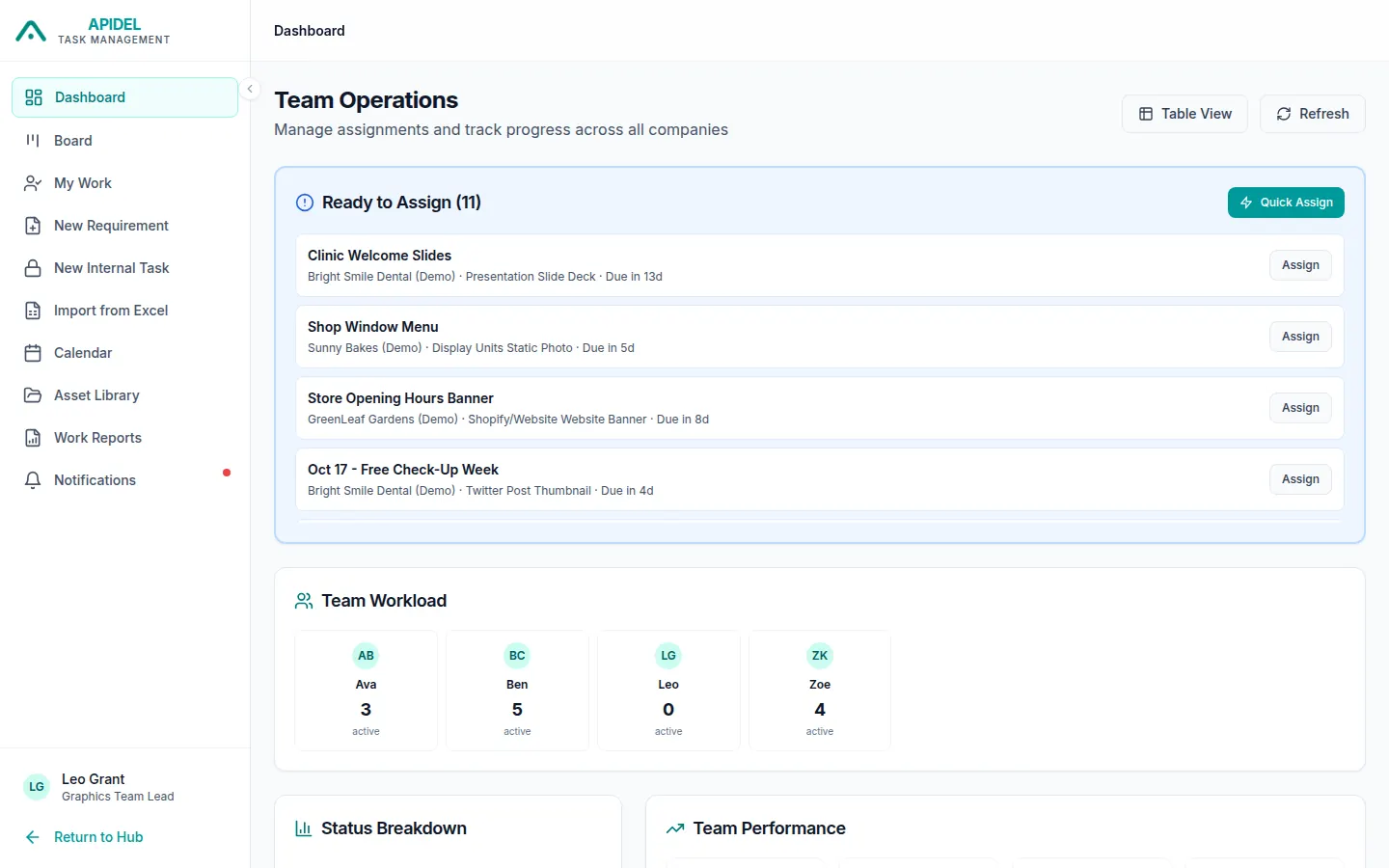
The top of the page
- Ready to Assign: new work that nobody has yet. URGENT means it is due in less than 3 days. Click Assign or Quick Assign to go to the Board, where you give the work to a designer. See Give work to a designer.
- Team Workload: one box for each designer, with the number of tasks they have now. Click a box to open the Board.
- Issues to Address: problems, for example work waiting in review for more than 24 hours. Click Review Now to open the Board.
- Refresh: loads the newest numbers.
The bottom of the page
Scroll down to see more.
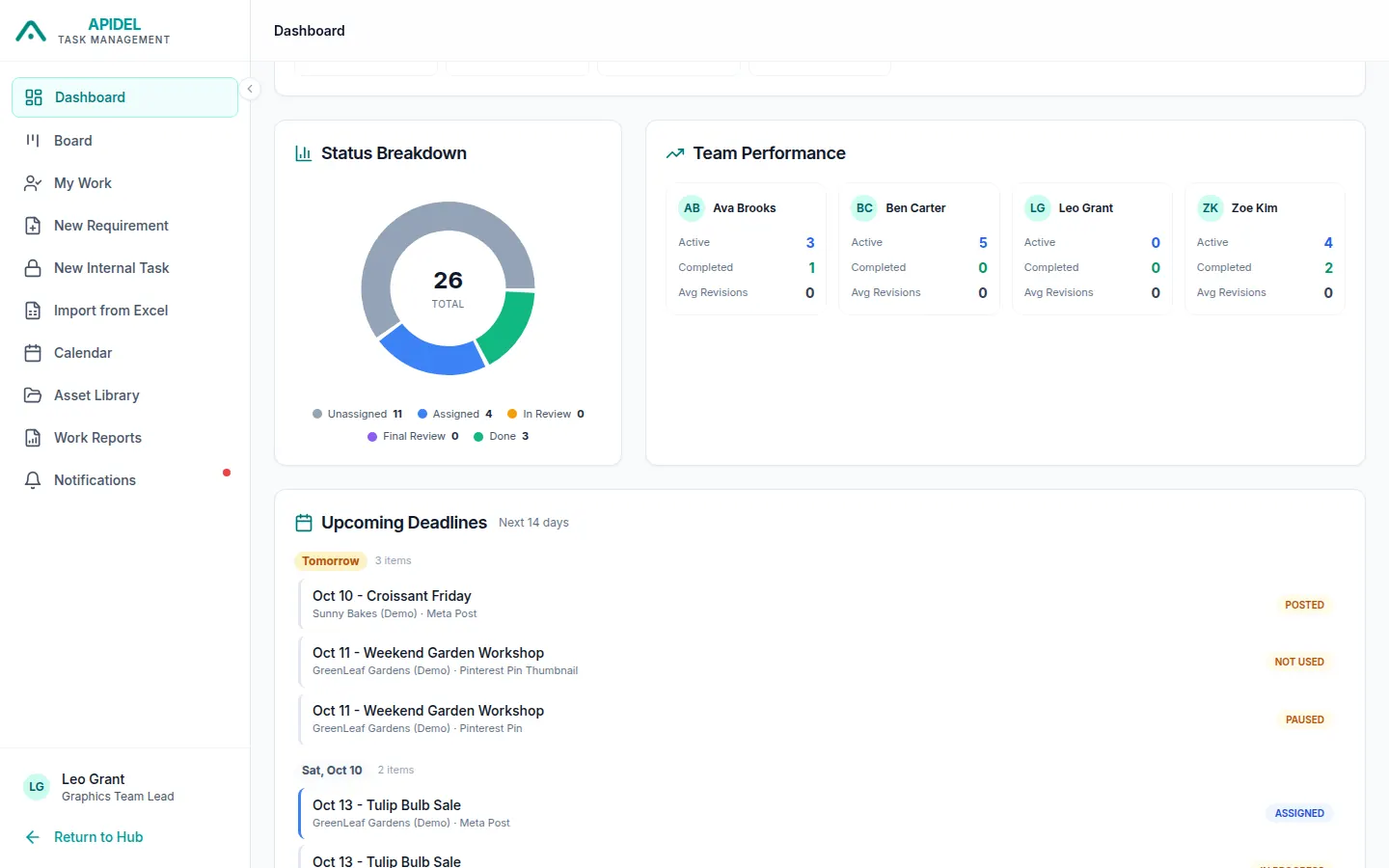
- Status Breakdown: a circle chart of how much work is at each step. Click a step name to open the Board.
- Team Performance: for each designer, how many tasks are Active, Completed, and the average number of changes asked (Avg Revisions).
- Upcoming Deadlines: work due in the next 14 days, by day.